Install Prisma Client
Install and generate Prisma Client
To get started with Prisma Client, you need to install the @prisma/client package:
npm install @prisma/client
The install command invokes prisma generate for you which reads your Prisma schema and generates a version of Prisma Client that is tailored to your models.
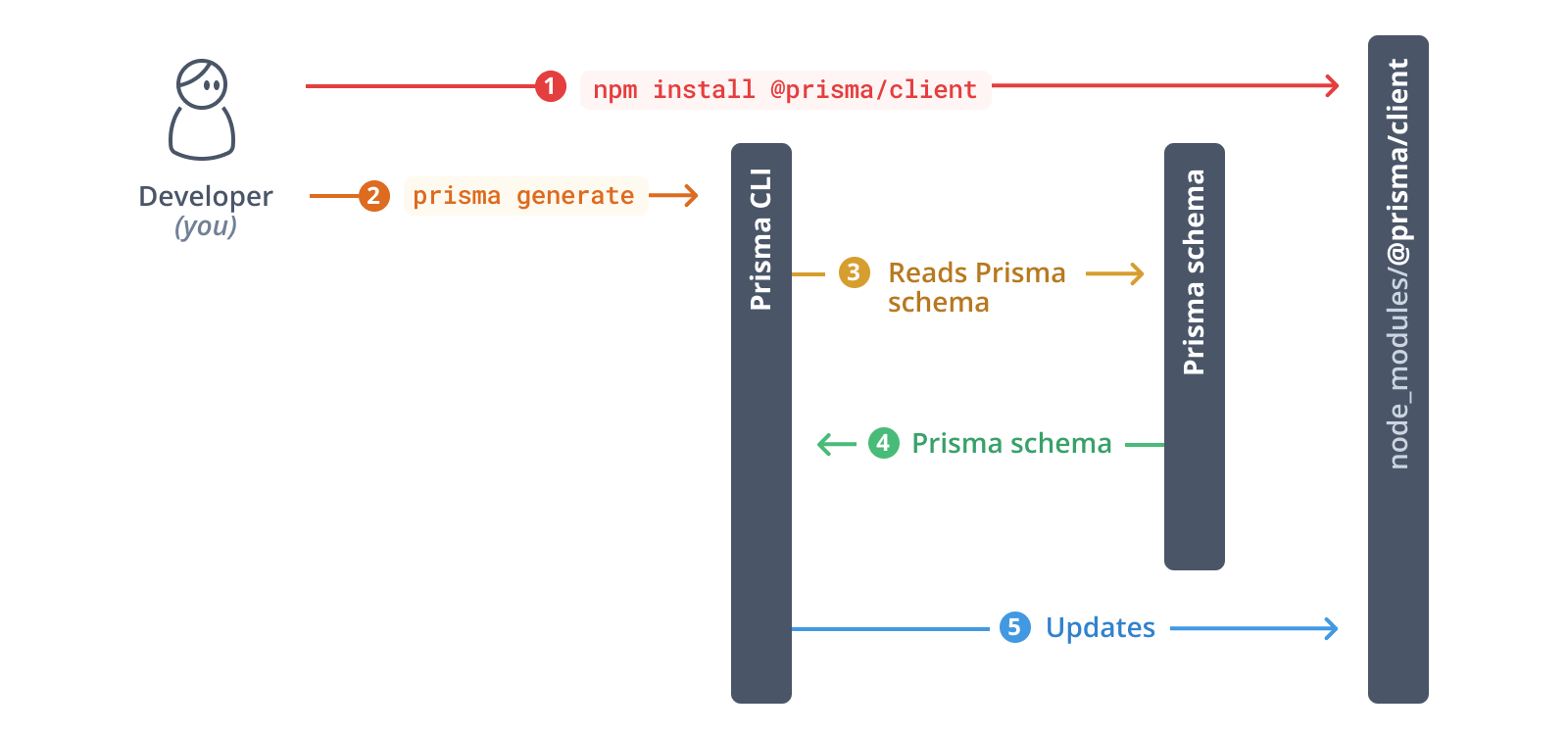
Whenever you update your Prisma schema, you will have to update your database schema using either prisma migrate dev or prisma db push. This will keep your database schema in sync with your Prisma schema. The commands will also regenerate Prisma Client.
Using Prisma Migrate Querying the database
Using Prisma Migrate Querying the database
Using Prisma Migrate Querying the database
Using Prisma Migrate Querying the database
Using Prisma Migrate Querying the database
Using Prisma Migrate Querying the database
Using Prisma Migrate Querying the database
Creating the database schema Querying the database